AI virtual try-on for clothing storesEvery rack,
a fitting room.

Print a QR tag for each garment. Shoppers scan it and see the outfit on themselves, right there in your store.

  • Runs on your phone
  • Free for shoppers
  • 7-day free trial
A shopper in a boutique trying on a cream blazer with AI virtual try-on
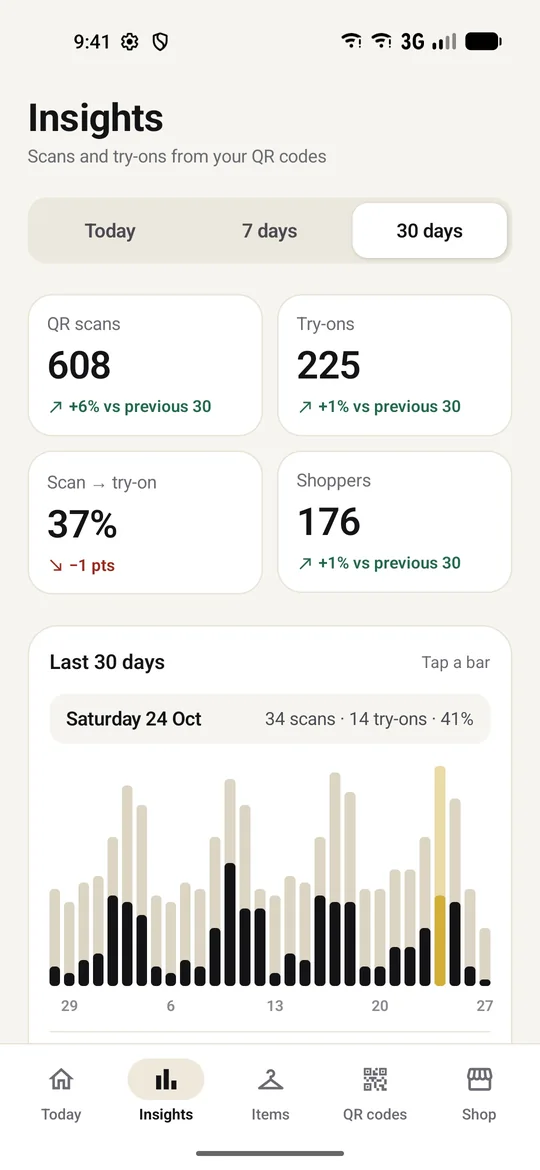
TryOn Business insights: 608 QR scans and 225 try-ons in the last 30 days
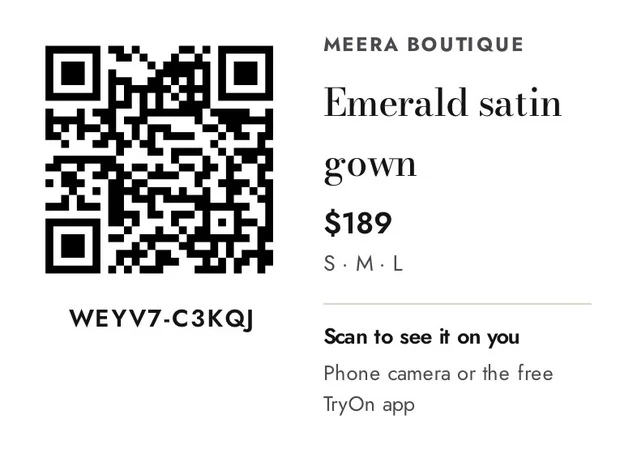
QR hang tag for an emerald satin gown, printed by TryOn Business
How it works

In-store virtual try-on in three steps

No studio, no computer, no website. Your phone and a printer are enough.

  1. Photograph the garment

    On a hanger or laid flat, on a plain background. One photo.
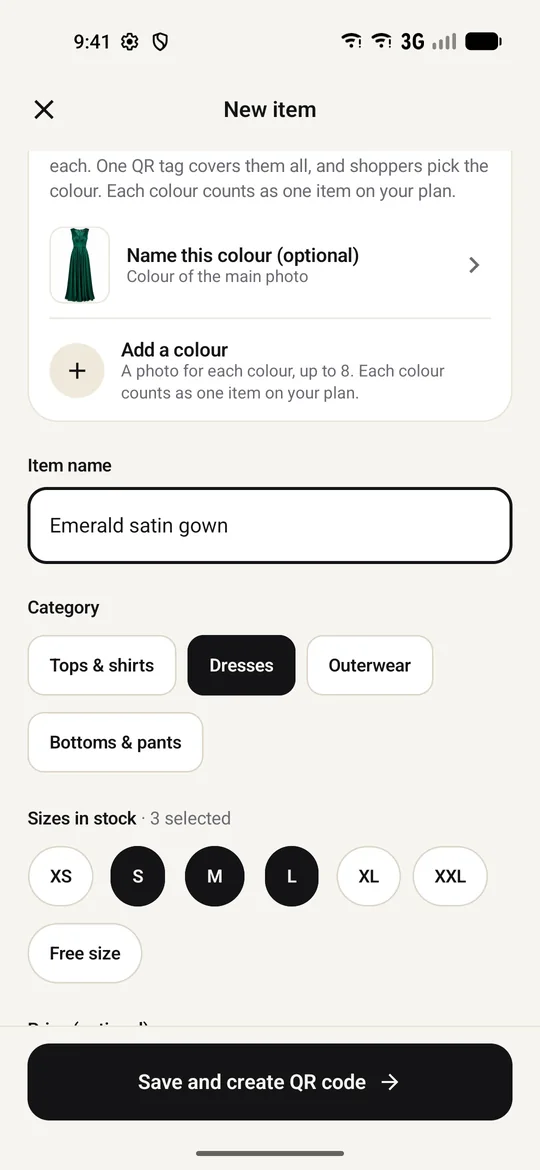
    Adding an emerald satin gown in TryOn Business with category and sizes
  2. Print the QR tags

    Hang tags for each item and a poster for the counter.
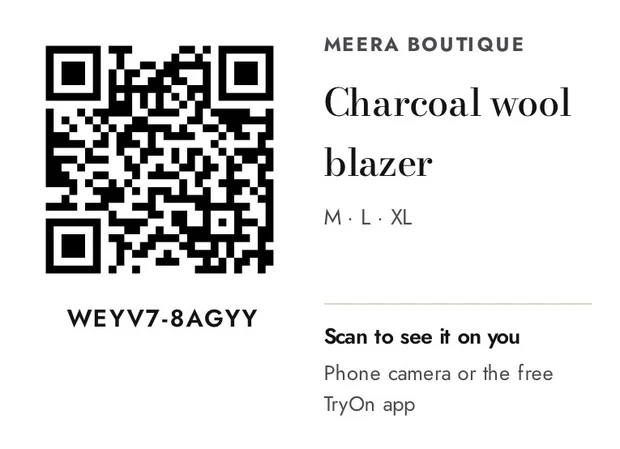
    QR hang tag for a charcoal wool blazer
  3. Shoppers try it on

    They scan the tag, add one photo, and see the outfit on themselves.
    Shopper seeing a blazer on herself after scanning a tag
Add items

One photo. One tag.
Every colour.

  • One QR tag covers every colourAdd a photo per colour; shoppers pick the one they want.
  • Sizes and price print on the tagLeave the price empty to keep it off.
  • The app coaches every photoPlain background, whole garment in frame, good light.
  • Location data stripped before uploadCamera details and GPS never leave your phone.
New item form with colours, category and sizes
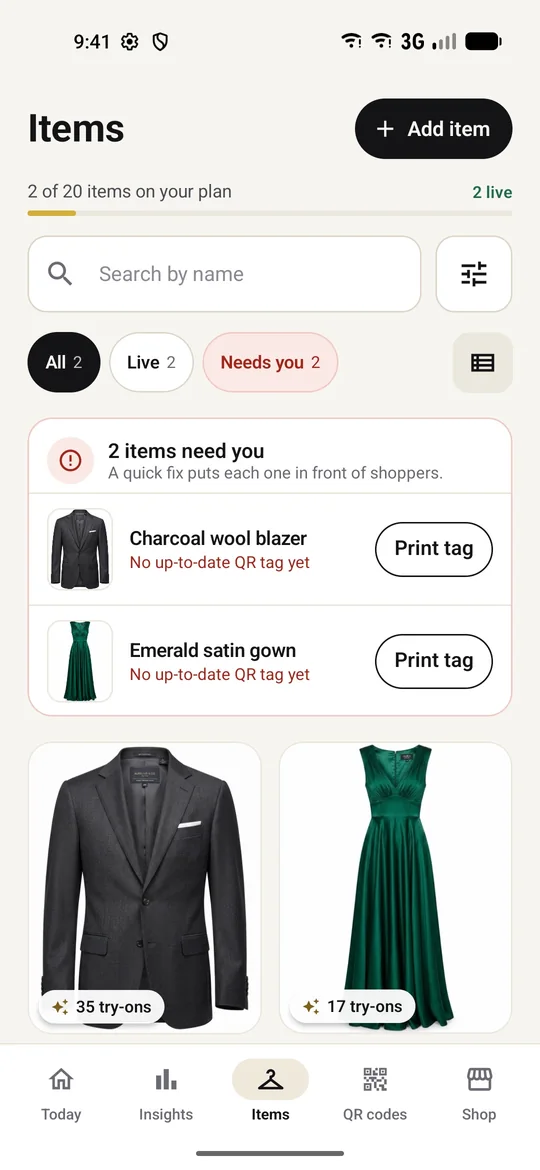
Items grid showing a charcoal blazer and emerald gown with try-on counts
QR tags & poster
  • A4 sheets of hang tagsEight per page. Cut along the lines and hang one on each item.
  • A “Try before you buy” posterFor the counter or the trial-room door. It opens your whole catalog.
  • No printer? No problemSend the PDF to your local print shop on WhatsApp.
  • Codes that never changeYour shop code is fixed, so printed tags keep working.
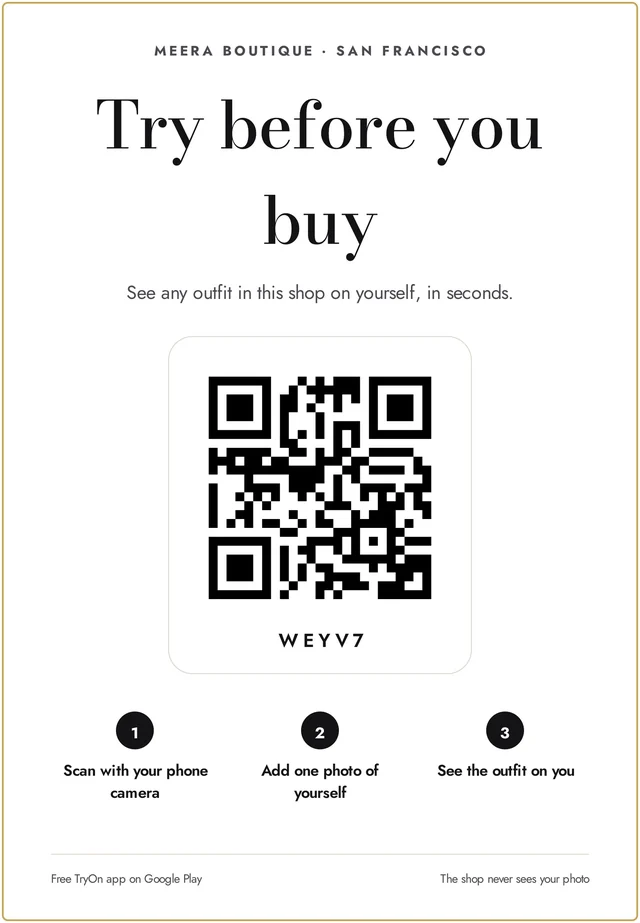
Store poster: Try before you buy, with a QR code and three steps
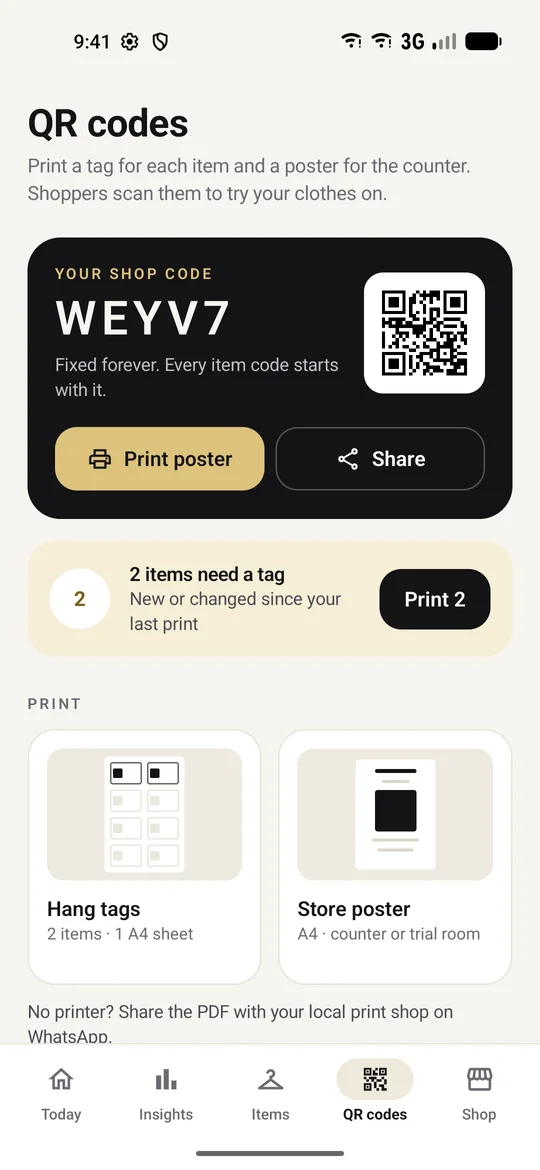
QR codes screen with the shop code, poster and hang tag printing
Insights

See what gets
tried on, and when.

  • Scans and try-ons per itemKnow which pieces pull people in.
  • Busiest days and hoursPut your best pieces out front at peak time.
  • Trends you can act onEvery number compared with the period before.

Screens show a sample shop.

Insights for the last 30 days: scans, try-ons, conversion and shoppers
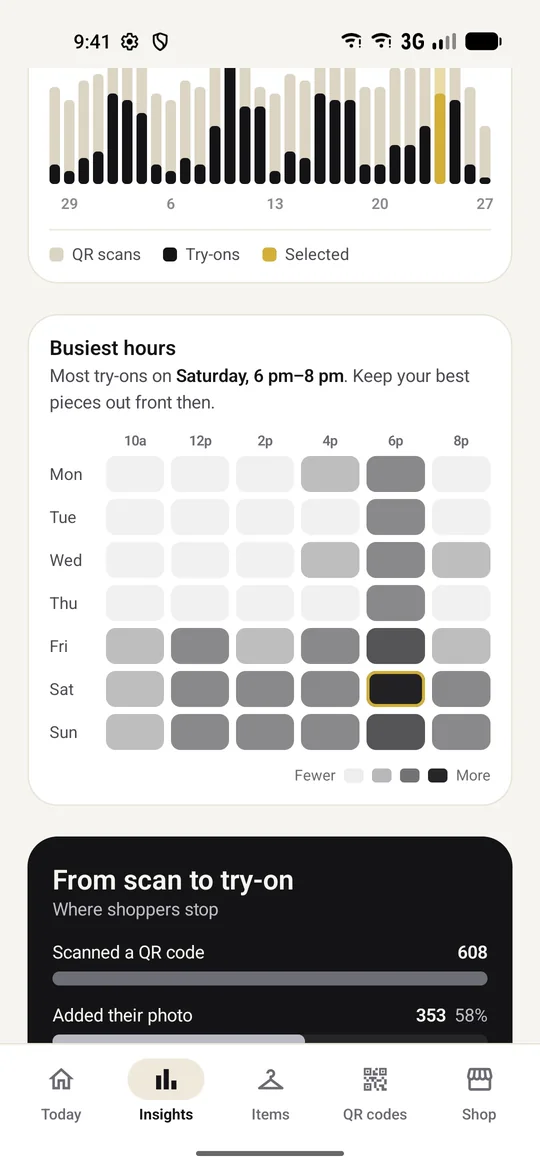
Busiest hours heatmap showing Saturday 6 to 8 pm as the peak
Today

Your shop floor,
at a glance.

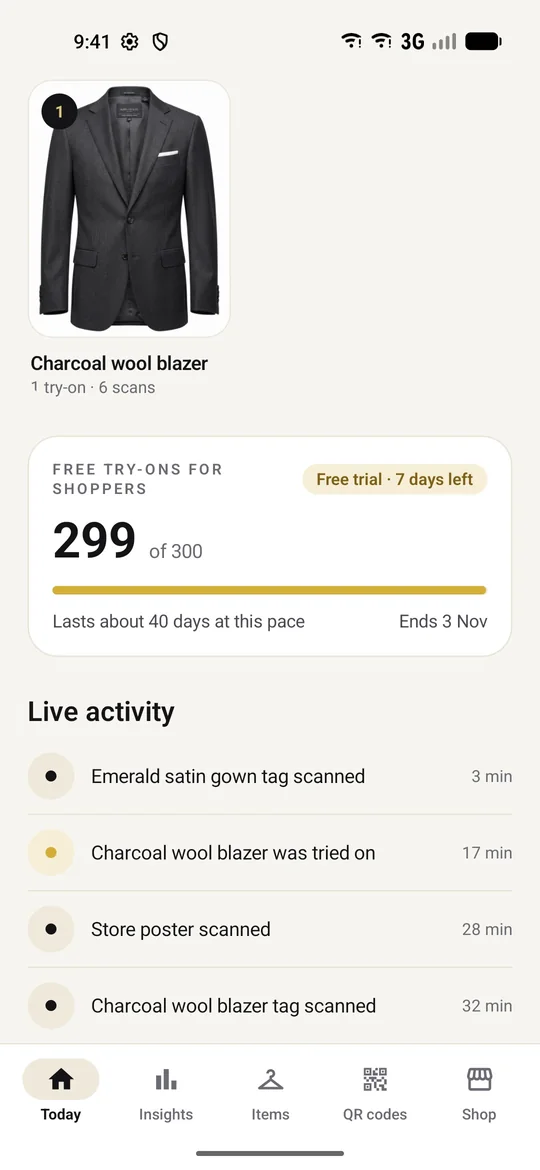
  • Live activityEvery tag scan and try-on, as it happens.
  • From scan to try-onSee where shoppers stop, with a tip to fix it.
  • Free try-on balanceSee how many sponsored try-ons are left and how long they’ll last.
Today screen with free try-on balance and live activity feed
Funnel: 608 scans, 353 added a photo, 225 tried it on
Built for trust

Free for shoppers. Private by design.

Free for your shoppers

Each try-on of your items is covered by your plan, so it never uses up the shopper’s own free try-ons.

You see the numbers, never the photos

Totals per item, never a shopper’s photo, try-on result, name or account.

Any phone camera can scan

Shoppers scan with their camera or the free TryOn app.

For shoppers
  1. Scan a tag
  2. Add one photo
  3. See the outfit on them
FAQ

Questions from shop owners

What is TryOn Business?

TryOn Business is an Android app that adds AI virtual try-on to a physical clothing store. You photograph each garment, print its QR hang tag, and shoppers scan the tag to see the outfit on themselves.

Do shoppers pay for try-ons?

No. Try-ons of your items are covered by your plan, so they never use up the shopper’s own free try-ons. If your plan’s try-ons run out, shoppers can still use their own free try-ons.

Can the store see shoppers’ photos?

No. You see totals only: scans and try-ons per item, busiest hours and where shoppers stop. You never see a shopper’s photo, try-on result, name or account. Read the privacy policy.

How accurate is the virtual try-on?

It’s an AI preview of how a garment looks on the shopper, not a size or measurement tool. It works best when your photo shows the whole garment on a plain background, and the app guides you through that.

Do I need a computer, a website or a printer?

No computer or website: everything runs from your Android phone. To print tags, use any printer, or send the PDF to a local print shop on WhatsApp.

How do colours work?

One QR tag covers every colour of an item. Add a photo for each colour and shoppers pick the one they want after scanning. Each colour counts as one item on your plan.

How do I get started?

Install TryOn Business from Google Play, sign in with Google and set up your shop. We review each new shop during early access; once approved, your 7-day free trial starts.

Now in early access

Your boutique,
now try-on ready.

Start with a 7-day free trial. Add your clothes, print the tags, and let shoppers try them on.
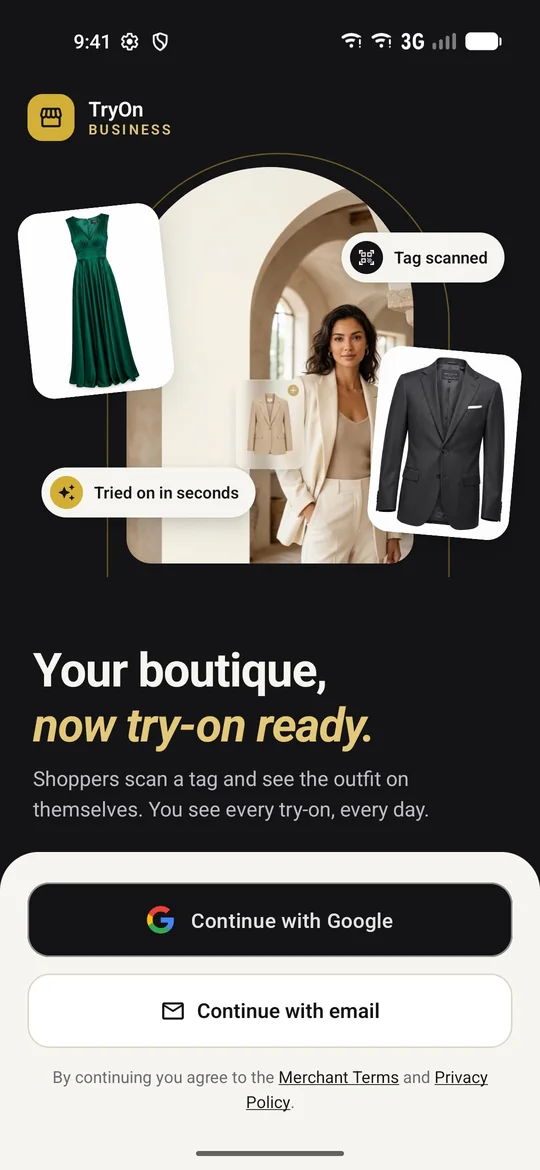
TryOn Business sign-in screen: Your boutique, now try-on ready